
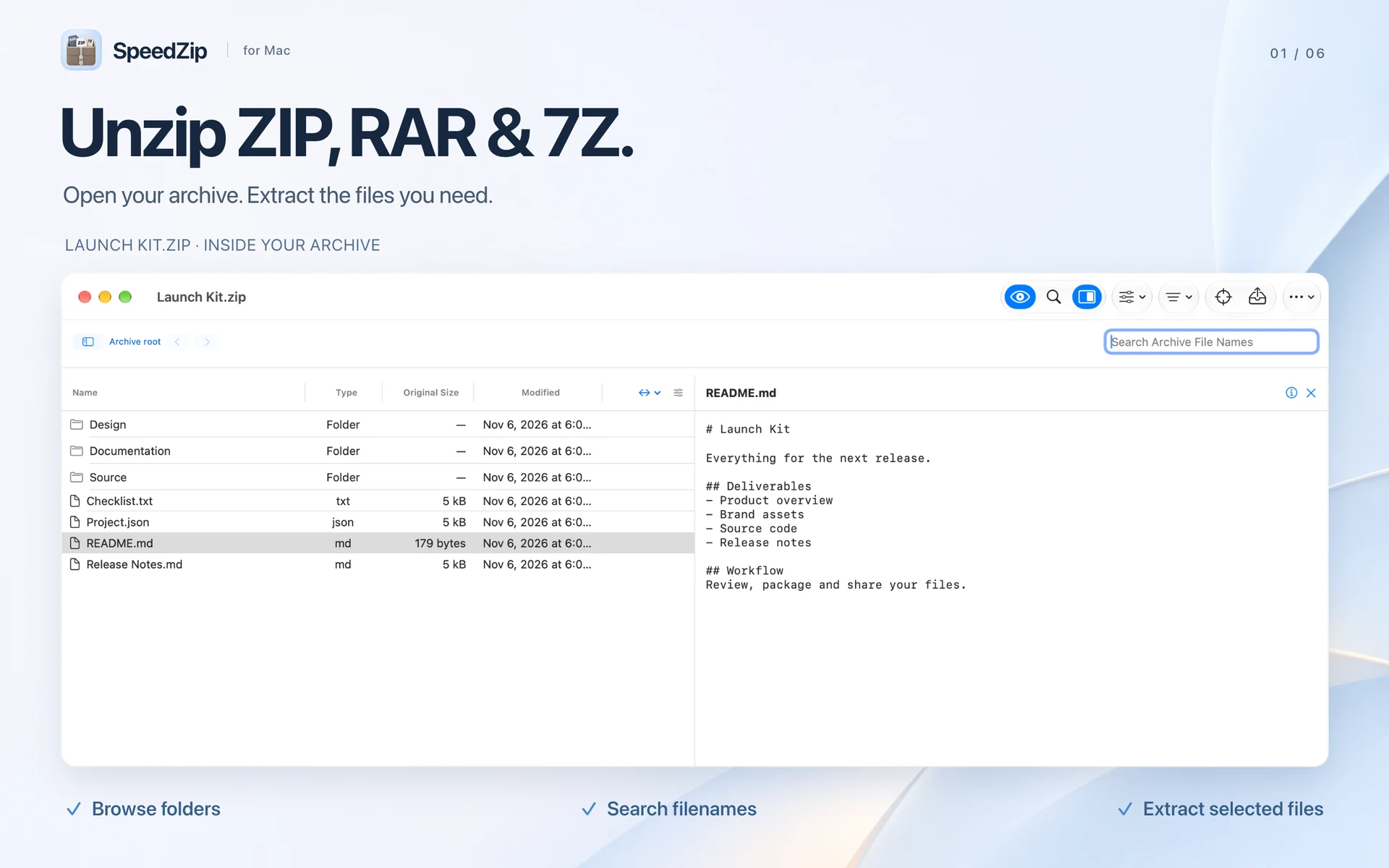
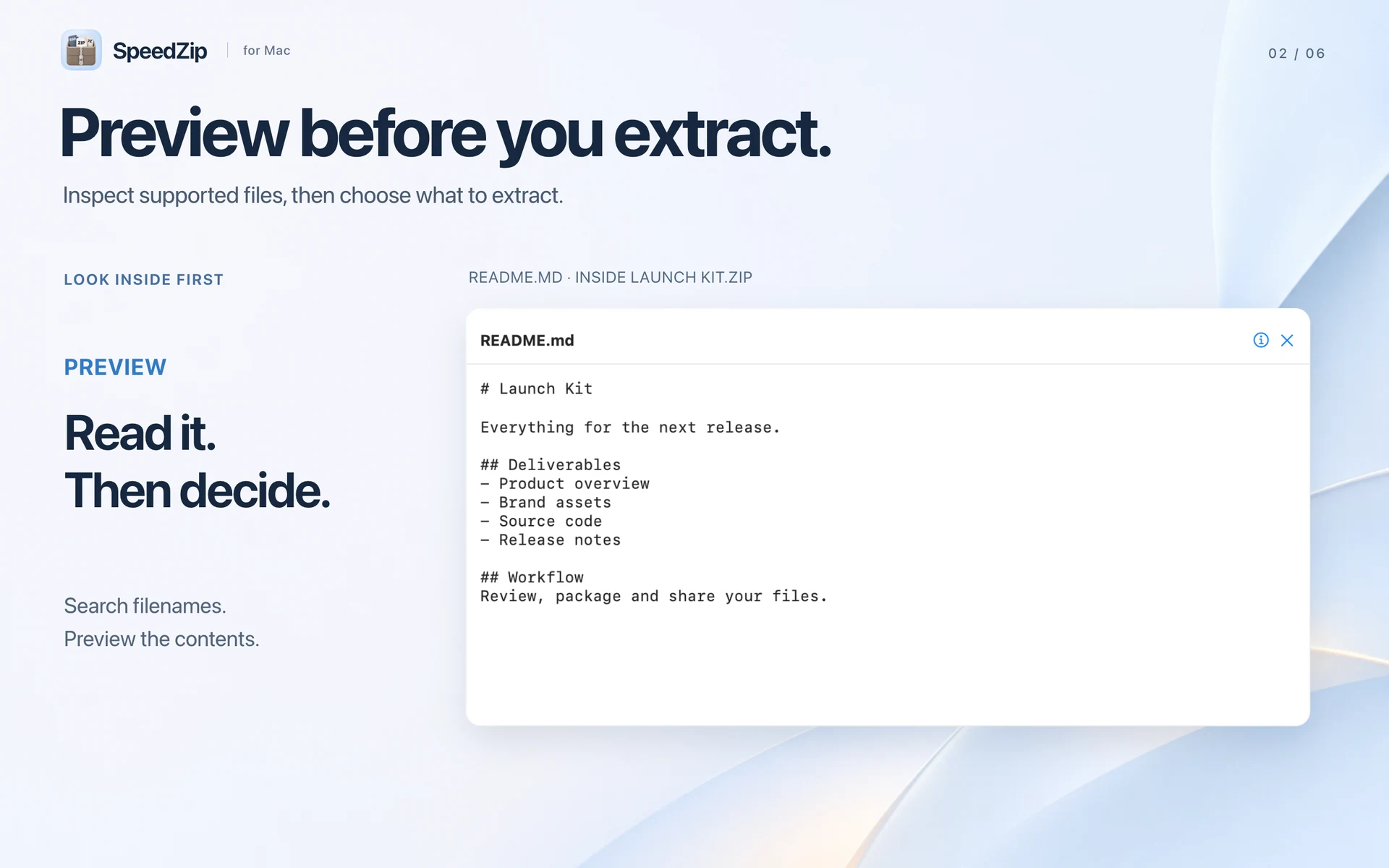
Check contents before extracting
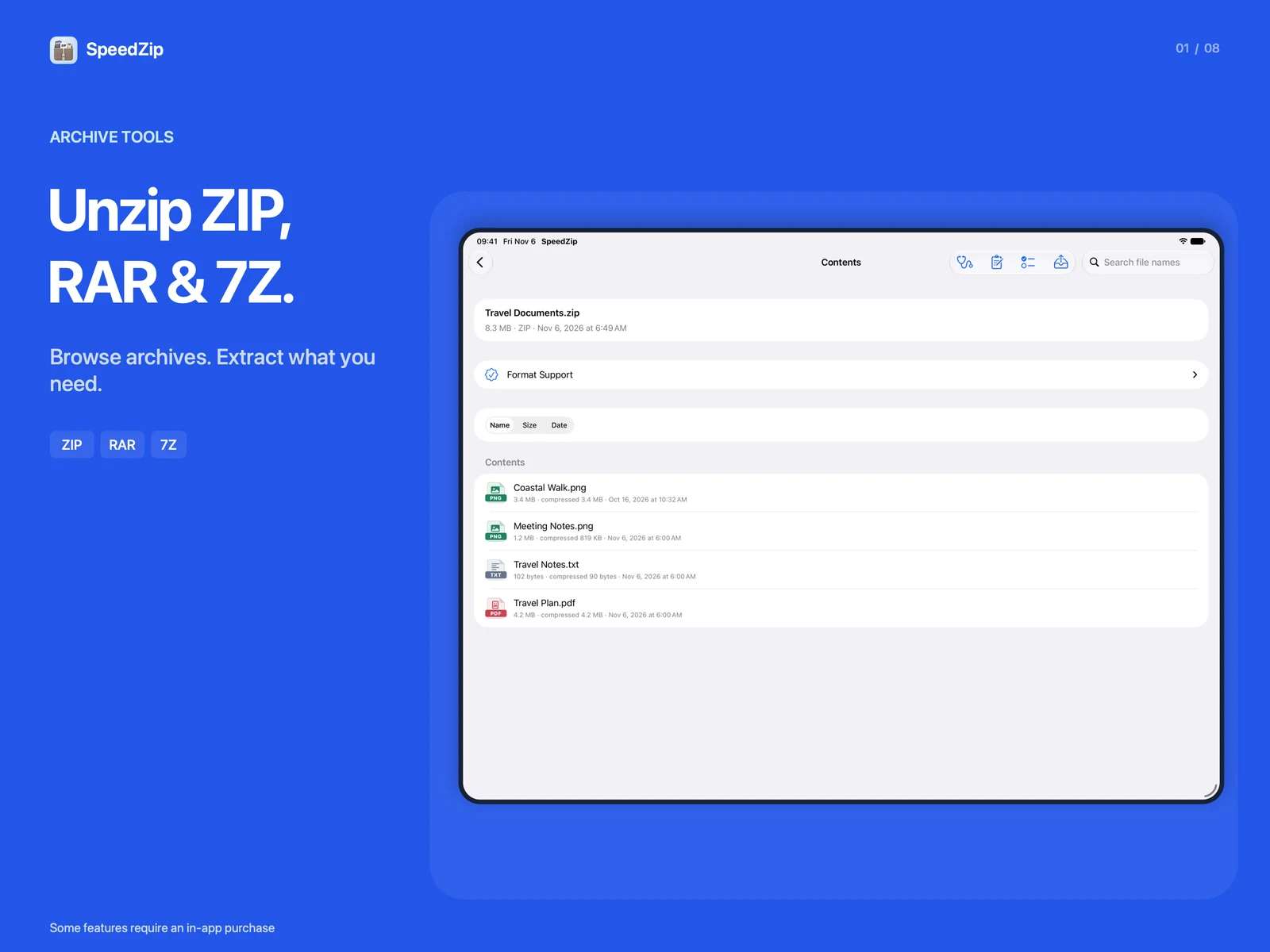
Search file names inside archives and preview supported documents, images, audio and video. Extract selected items instead of unpacking everything. Open ZIP, RAR, 7Z and TAR archives, including TAR.XZ.
Utilities
SpeedZip
macOS
Open RAR files, extract just what you need from ZIP archives, and package folders for sharing. SpeedZip brings compression, extraction and archive previews together in a native Mac app.
macOS 15+ · Apple silicon
Available operations vary by archive format. Requires an Apple Silicon Mac with macOS 15 or later. Intel Macs are not supported.
SpeedZip
iPhone
Open ZIP and RAR files, prepare PDFs and make photos or videos smaller to share. SpeedZip brings archive tools, file management and everyday document tasks to iPhone and iPad.
SpeedZip iOS 1.6 adds web page translation
iOS 18+
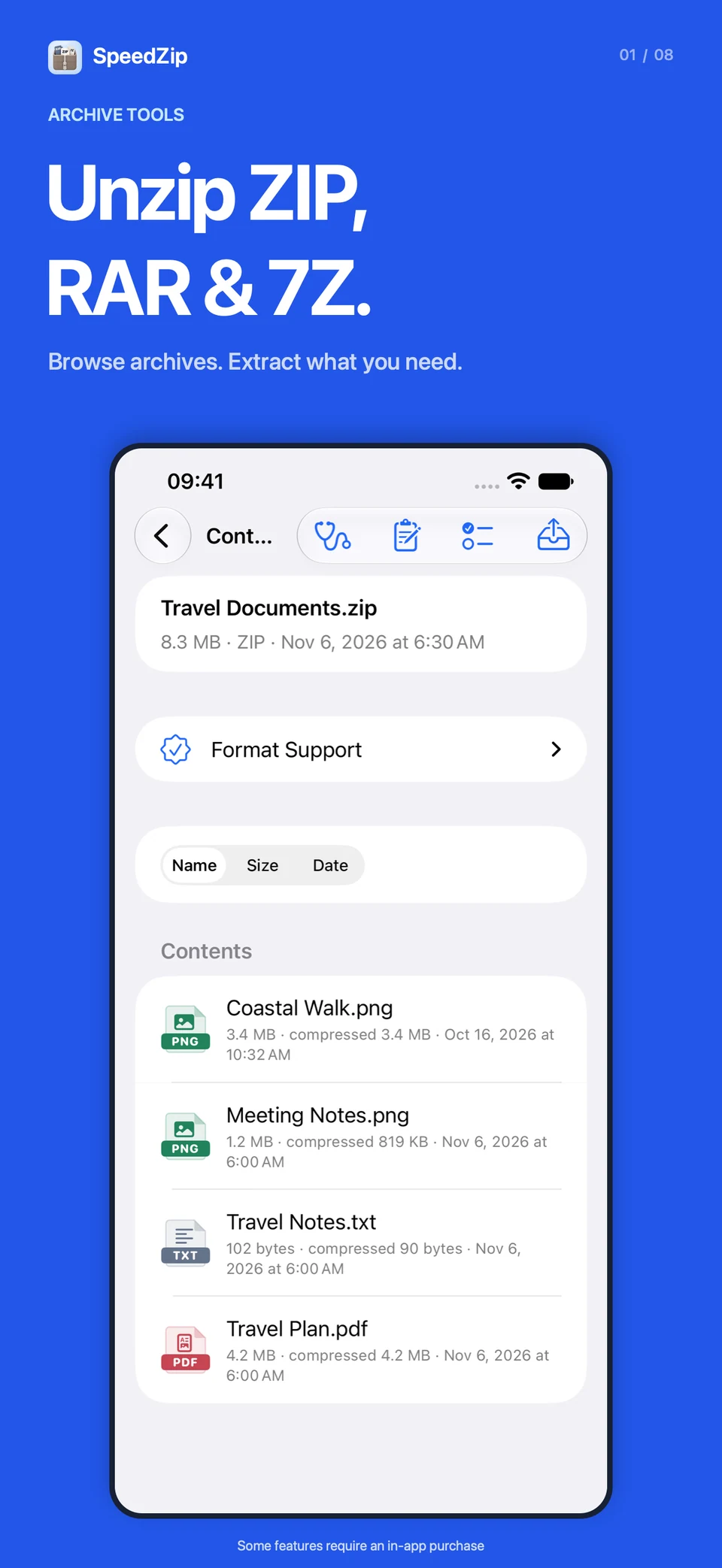
Archive creation and extraction run on your device without uploading file contents or passwords. Format compatibility and compression results depend on the source and settings. RAR and ZIPX support extraction only.
SpeedZip
iPad
Open ZIP and RAR files, prepare PDFs and make photos or videos smaller to share. SpeedZip brings archive tools, file management and everyday document tasks to iPhone and iPad.
SpeedZip iOS 1.6 adds web page translation
iPadOS 18+
Archive creation and extraction run on your device without uploading file contents or passwords. Format compatibility and compression results depend on the source and settings. RAR and ZIPX support extraction only.
Everything included
SpeedZip comes packed with everything you need to get more done.
SpeedZip
Search file names inside archives and preview supported documents, images, audio and video. Extract selected items instead of unpacking everything. Open ZIP, RAR, 7Z and TAR archives, including TAR.XZ.
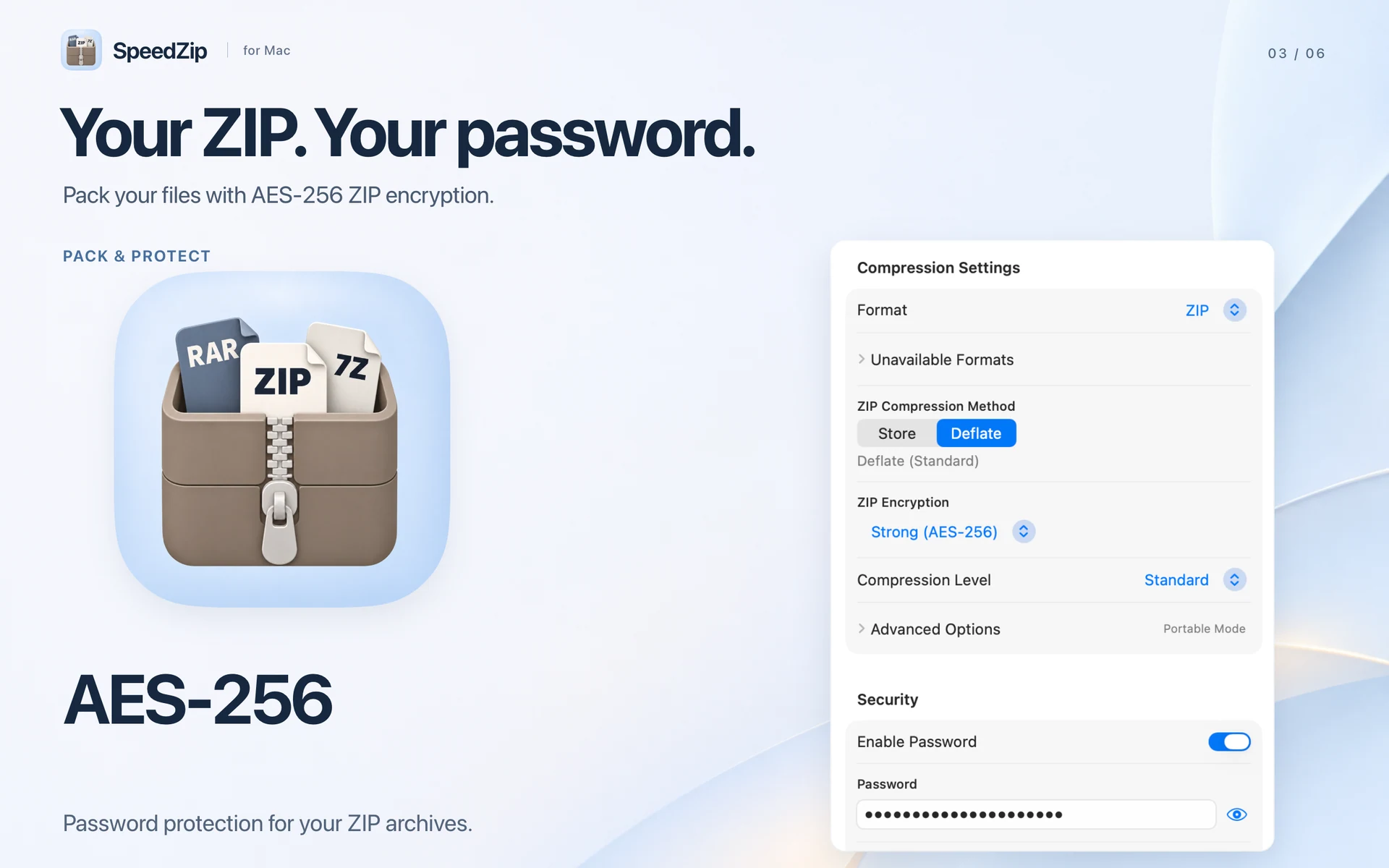
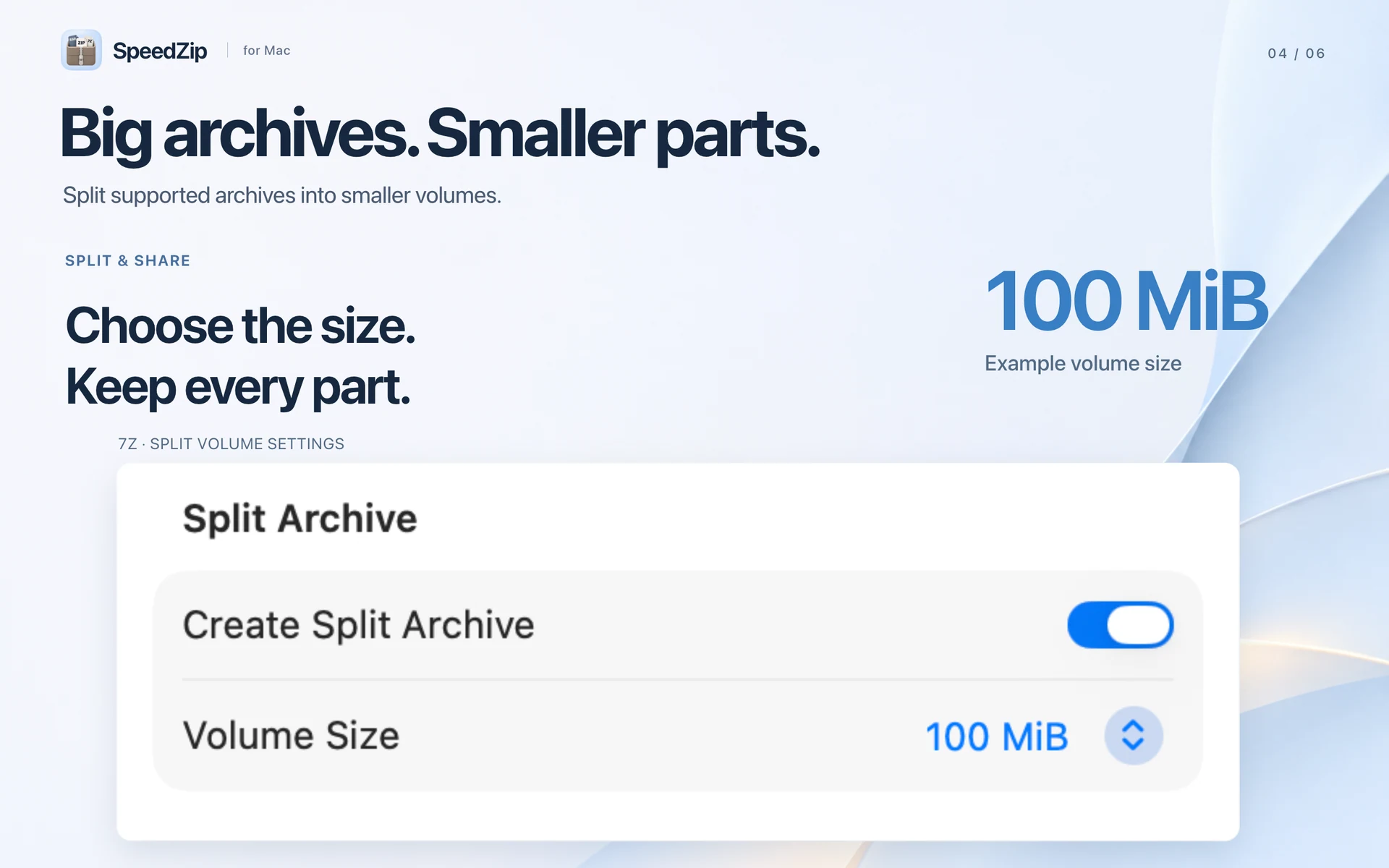
Create ZIP, 7Z and TAR files. Protect ZIP archives with AES-256 encryption and split supported archives into volumes for transfer. Choose where files go and how to handle matching names.
Add, rename, move or remove entries in supported editable archives. Review changes before saving to the original file, with undo when you need it.
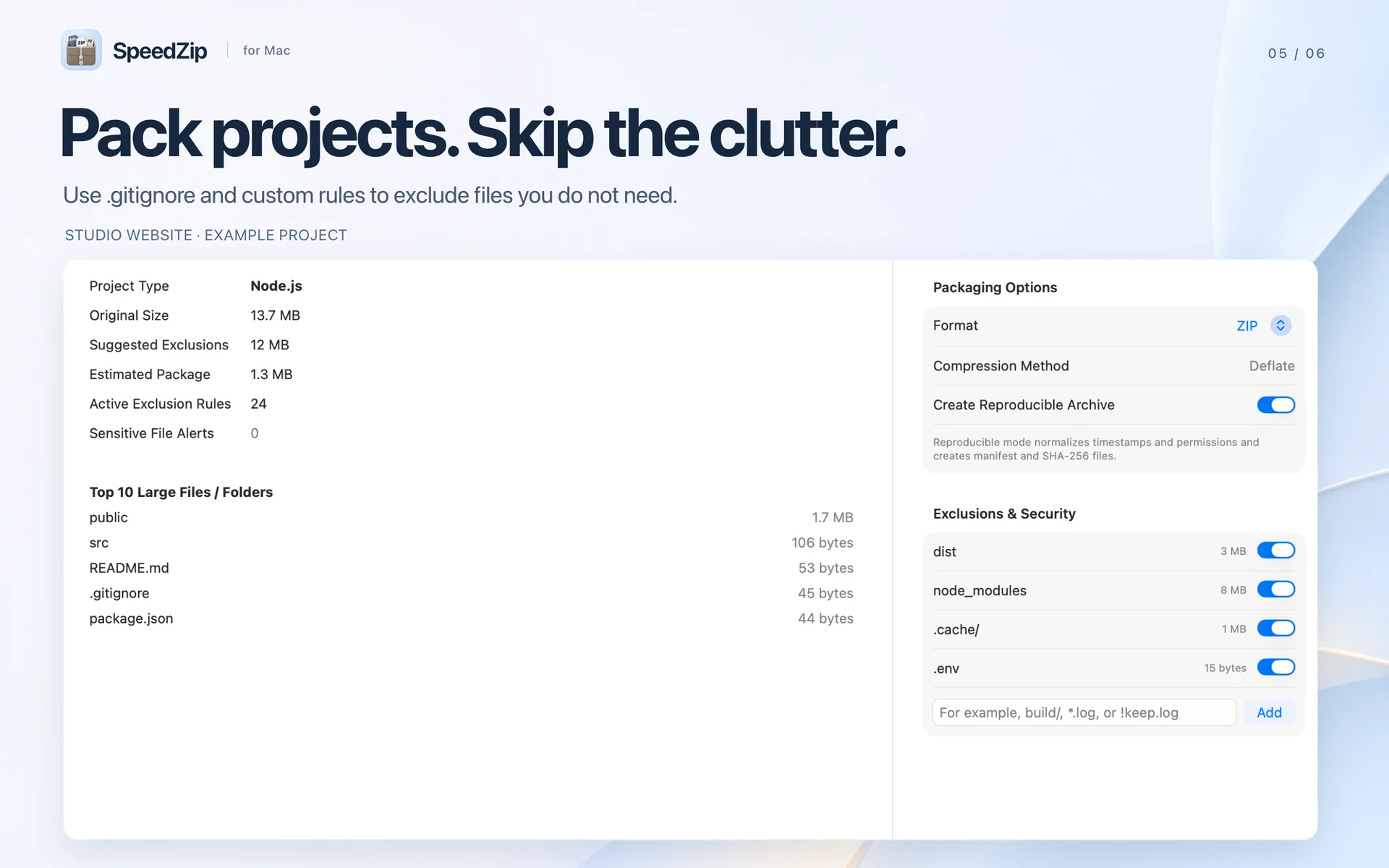
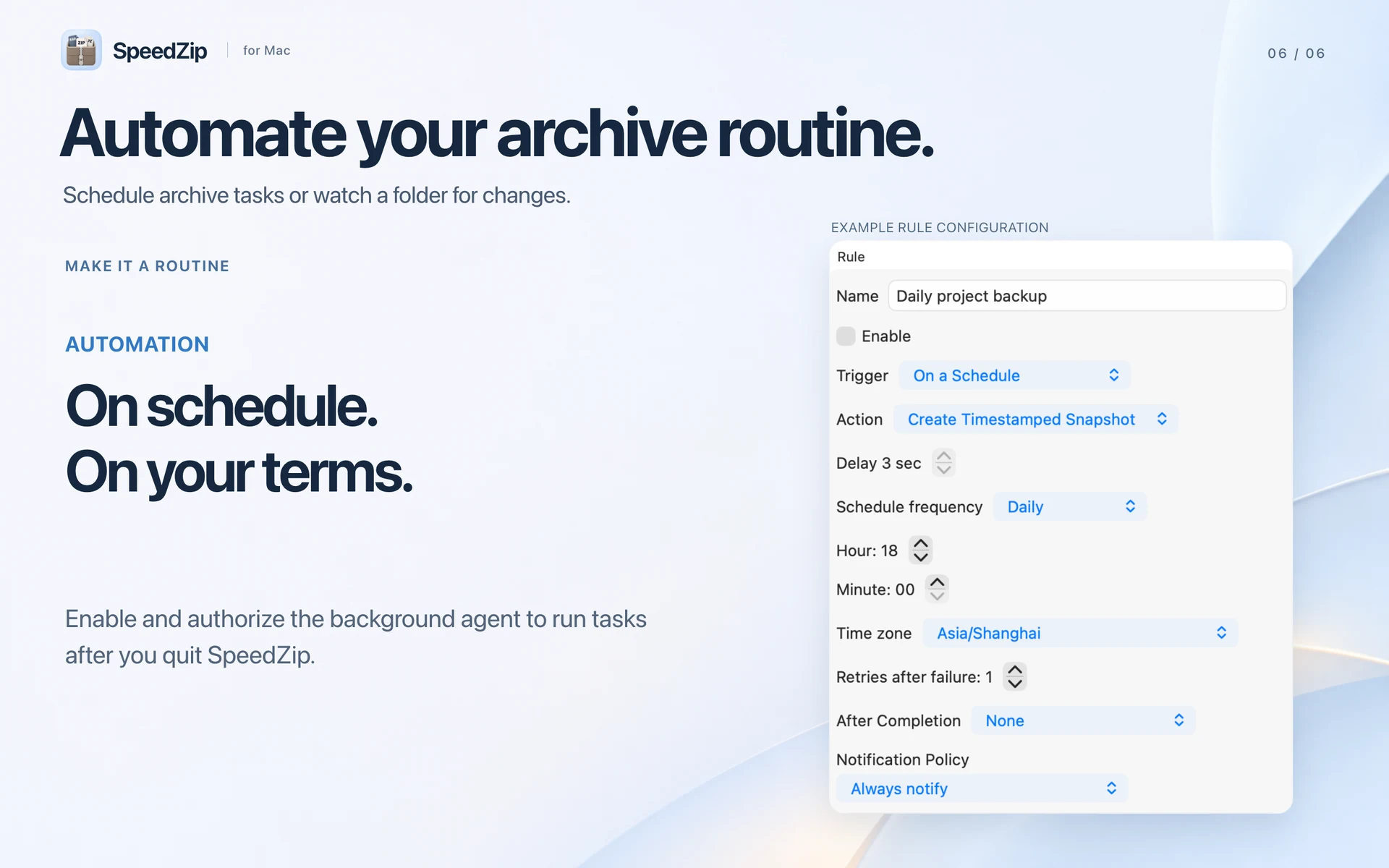
Use .gitignore and custom exclusions to leave out build files and caches. Reuse presets, track batch tasks and cancel individual jobs. Start archive actions from Finder. With the background agent enabled and authorised, automation rules can keep running after you quit the app.
Archive operations run on your Mac. Choose from 50 interface languages in Settings, with localised file sizes, numbers and dates.
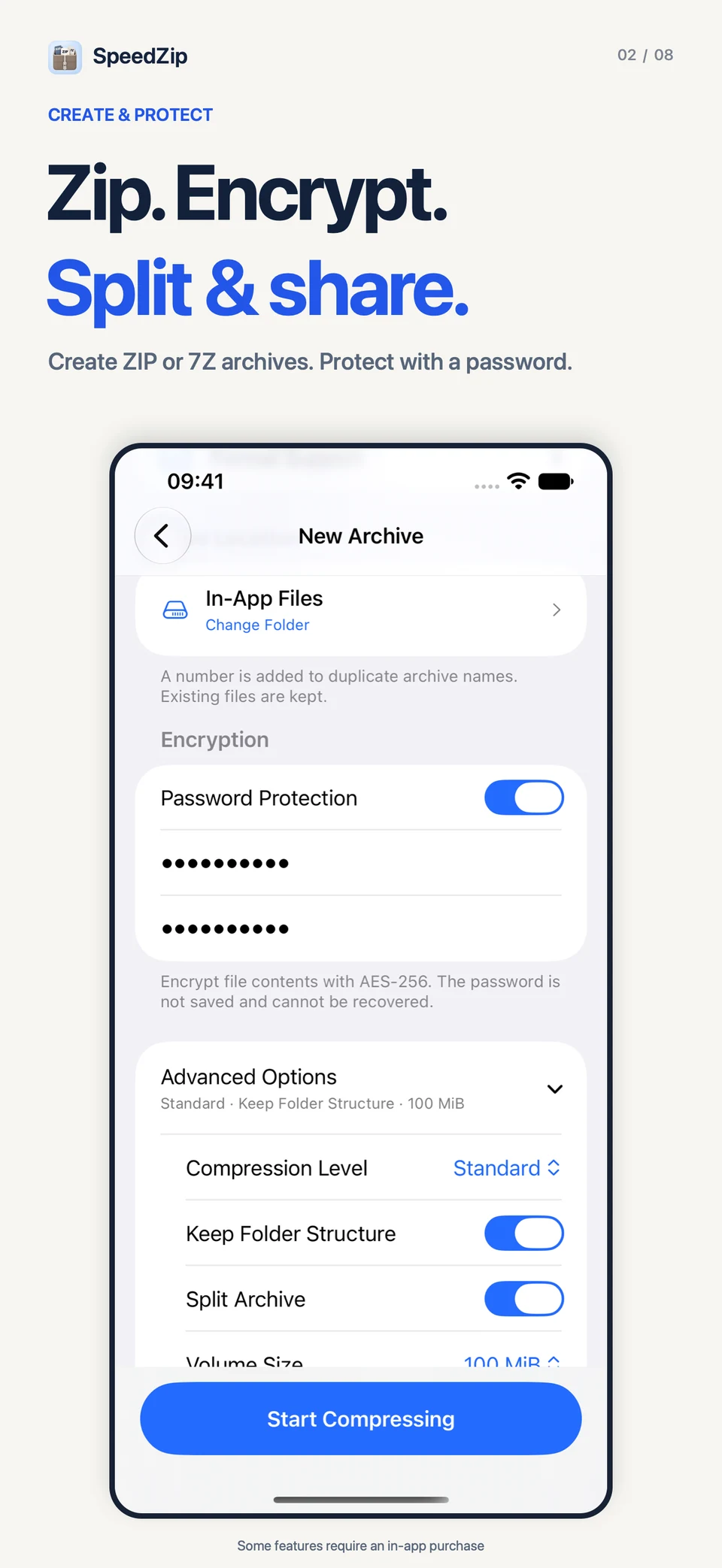
Browse and extract ZIP, 7Z, RAR, ZIPX, TAR, GZ and other supported archives. Create ZIP, 7Z, TAR, TAR.GZ, TAR.BZ2, DZIP (.dz), ISO or XAR. Protect ZIP and 7Z archives with AES-256 encryption or split archives into volumes. Use Quick ZIP in the iOS share sheet to pack files and folders, then share the ZIP or save it to SpeedZip.
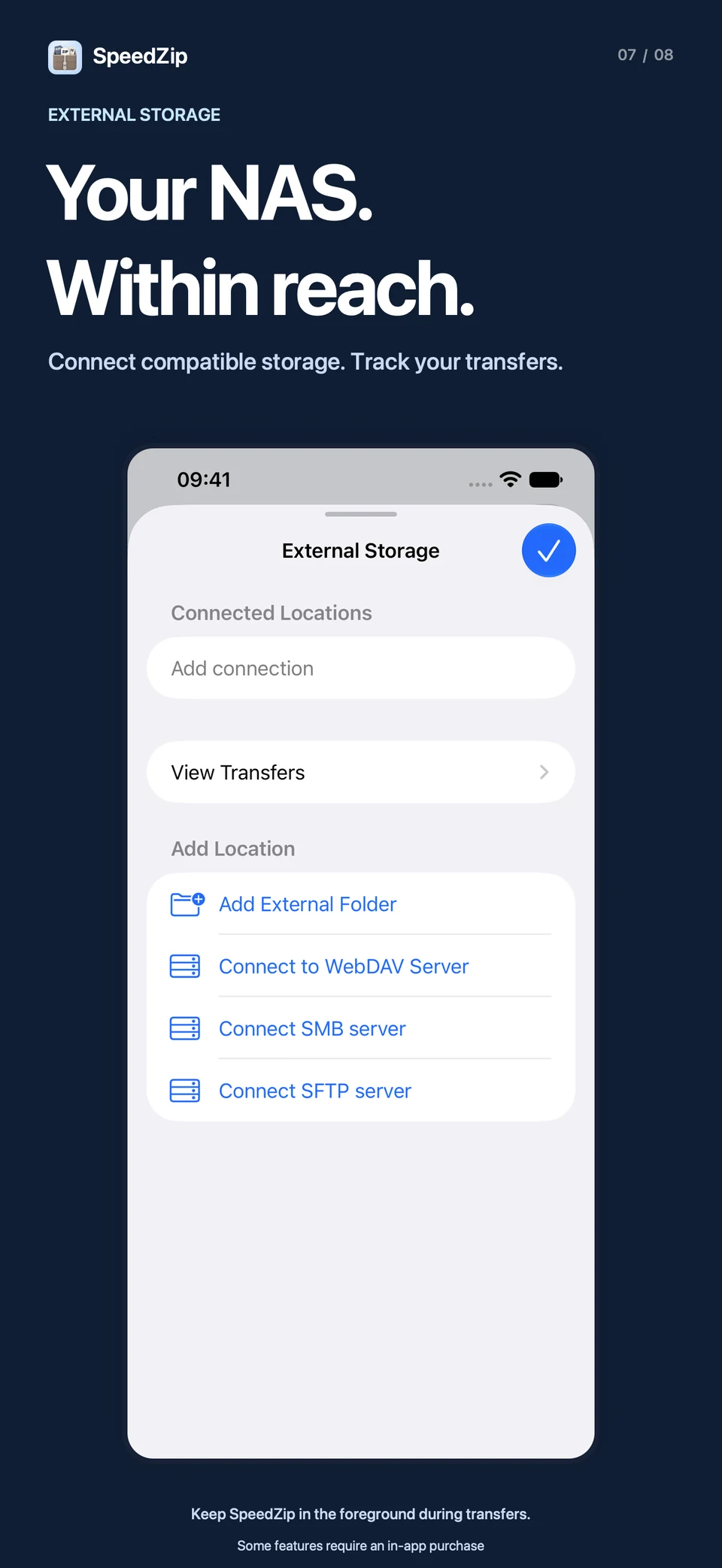
Connect to compatible storage over SMB, SFTP or HTTPS WebDAV, or add an external folder. Import files to work on and upload a finished PDF or another file to your chosen folder. Track imports and uploads in the transfer queue. Keep SpeedZip open during transfers; interrupted tasks can be retried from the beginning.
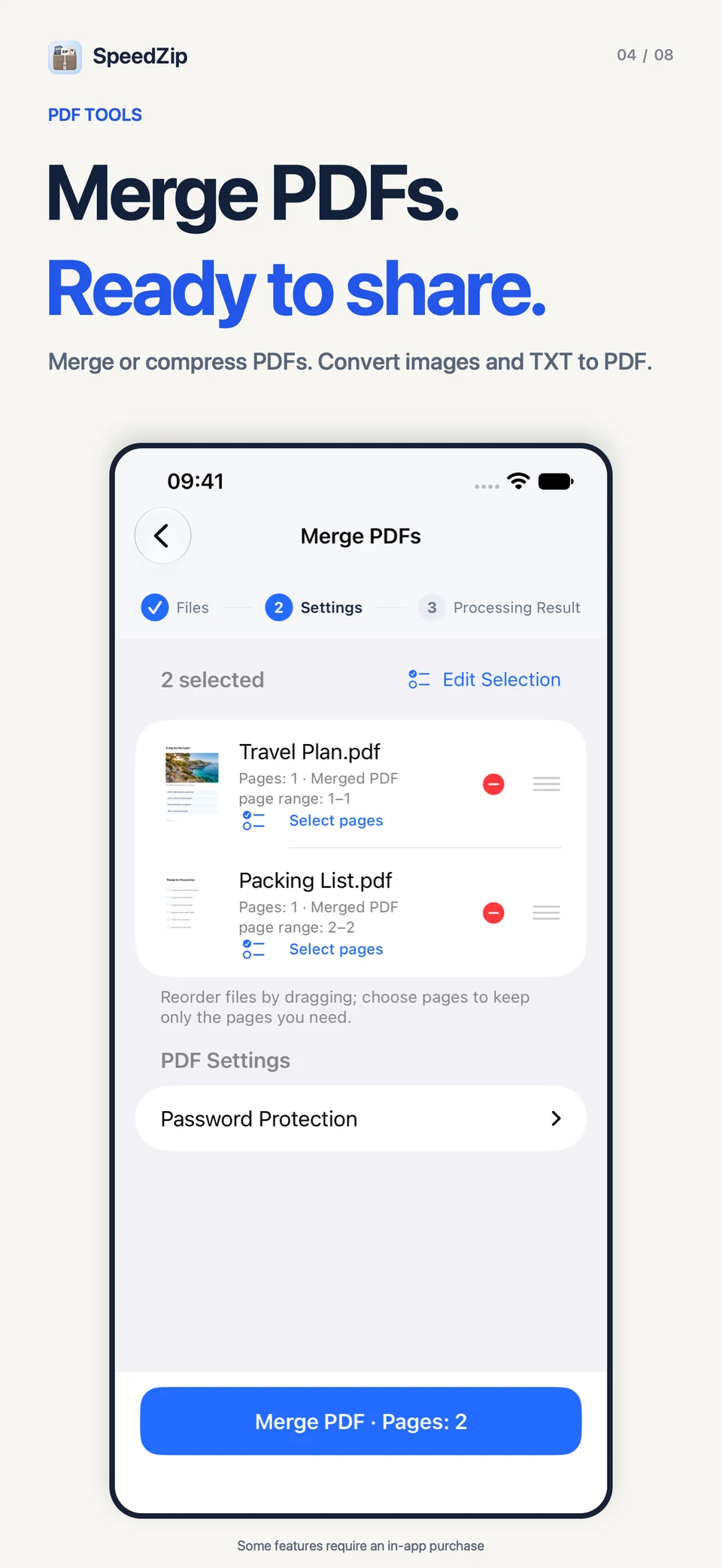
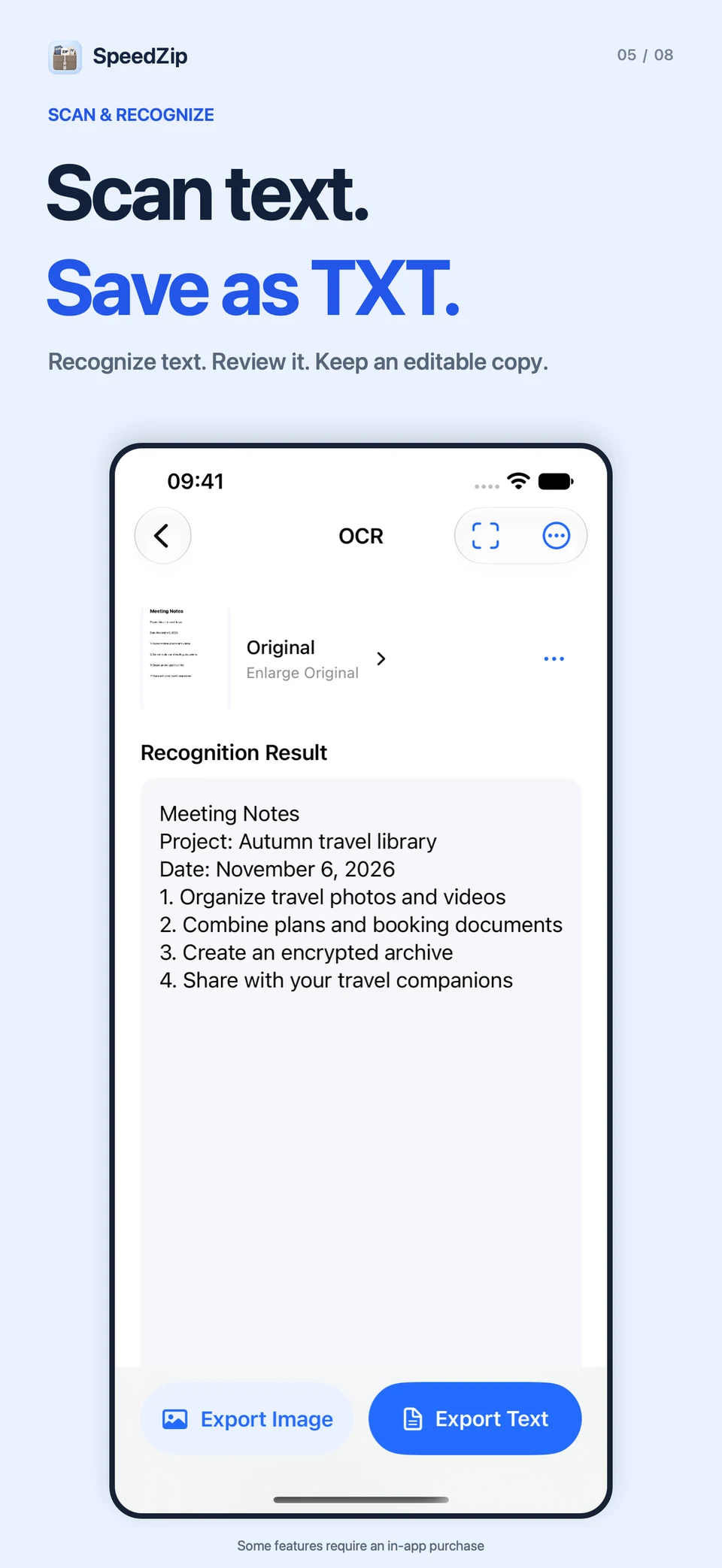
Scan multiple pages into a PDF. Merge or compress PDFs, convert images or TXT to PDF, and export PDF pages as images. Manage PDF pages, add highlights and notes, or review extracted text before saving it as TXT. OCR follows the device language and supports English, Simplified and Traditional Chinese, Japanese, Korean and more.
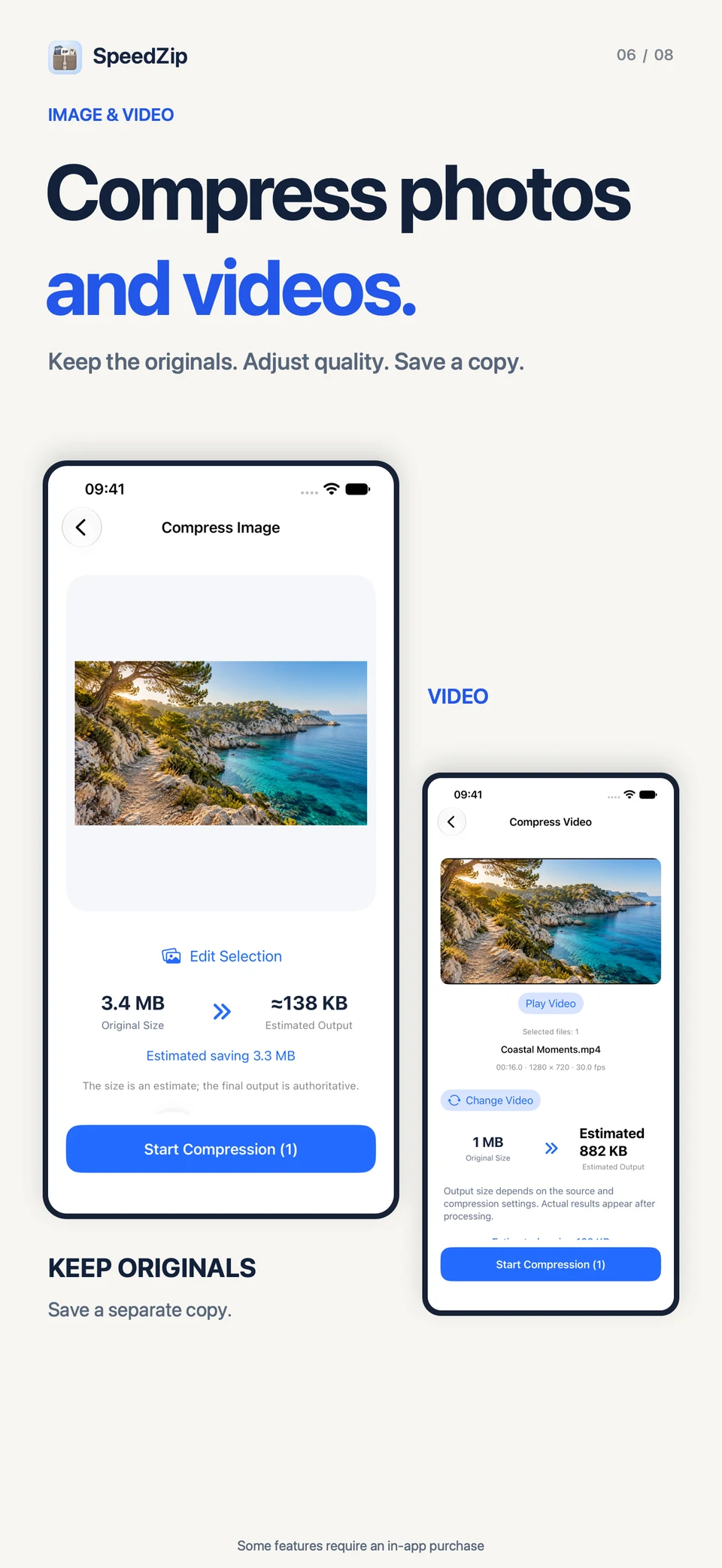
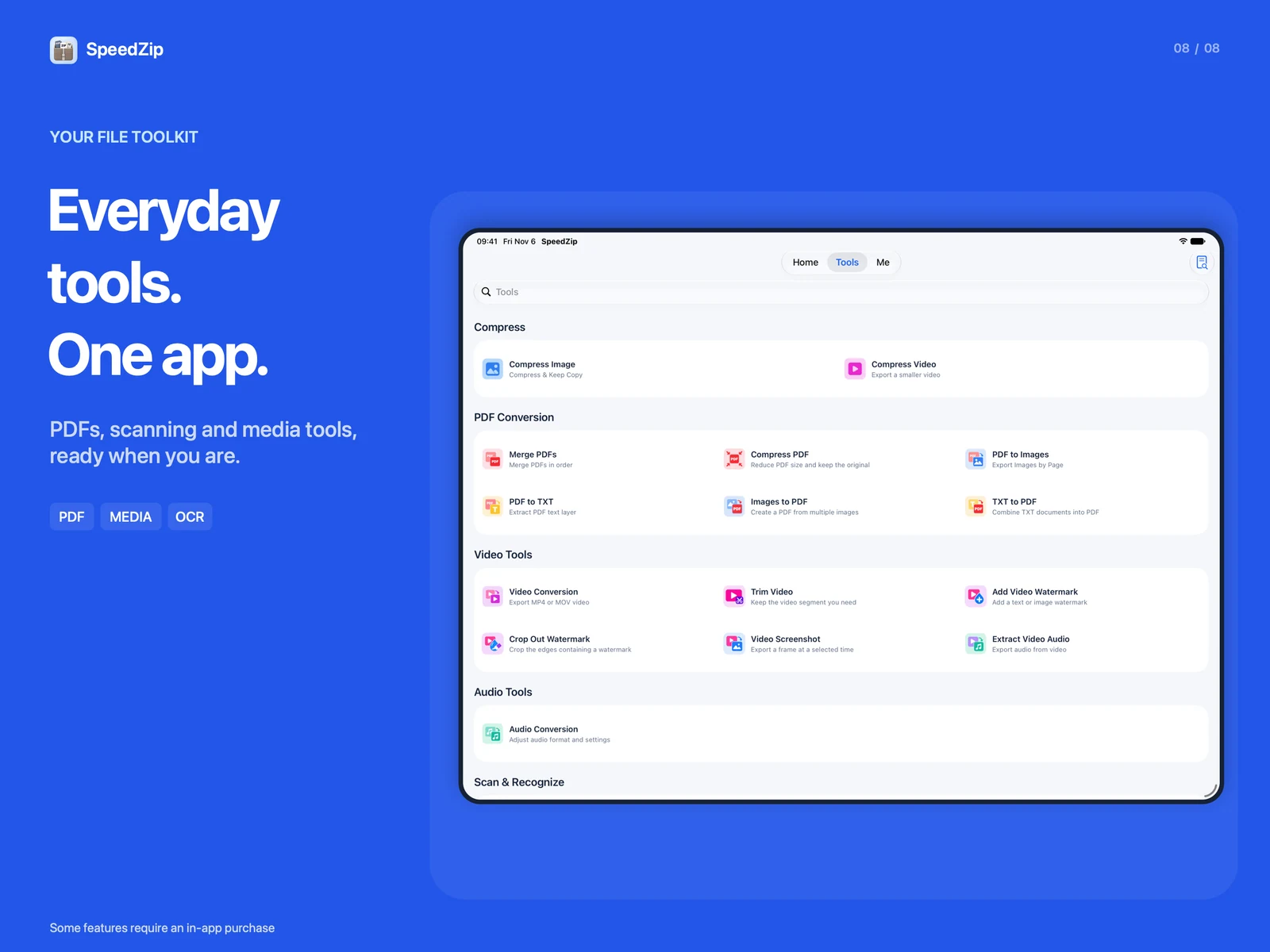
Compress images and videos while keeping the originals. Compare file sizes and save the results to your photo library. Convert compatible videos to MP4 or MOV, trim clips, add watermarks, capture frames, extract audio or convert audio files.
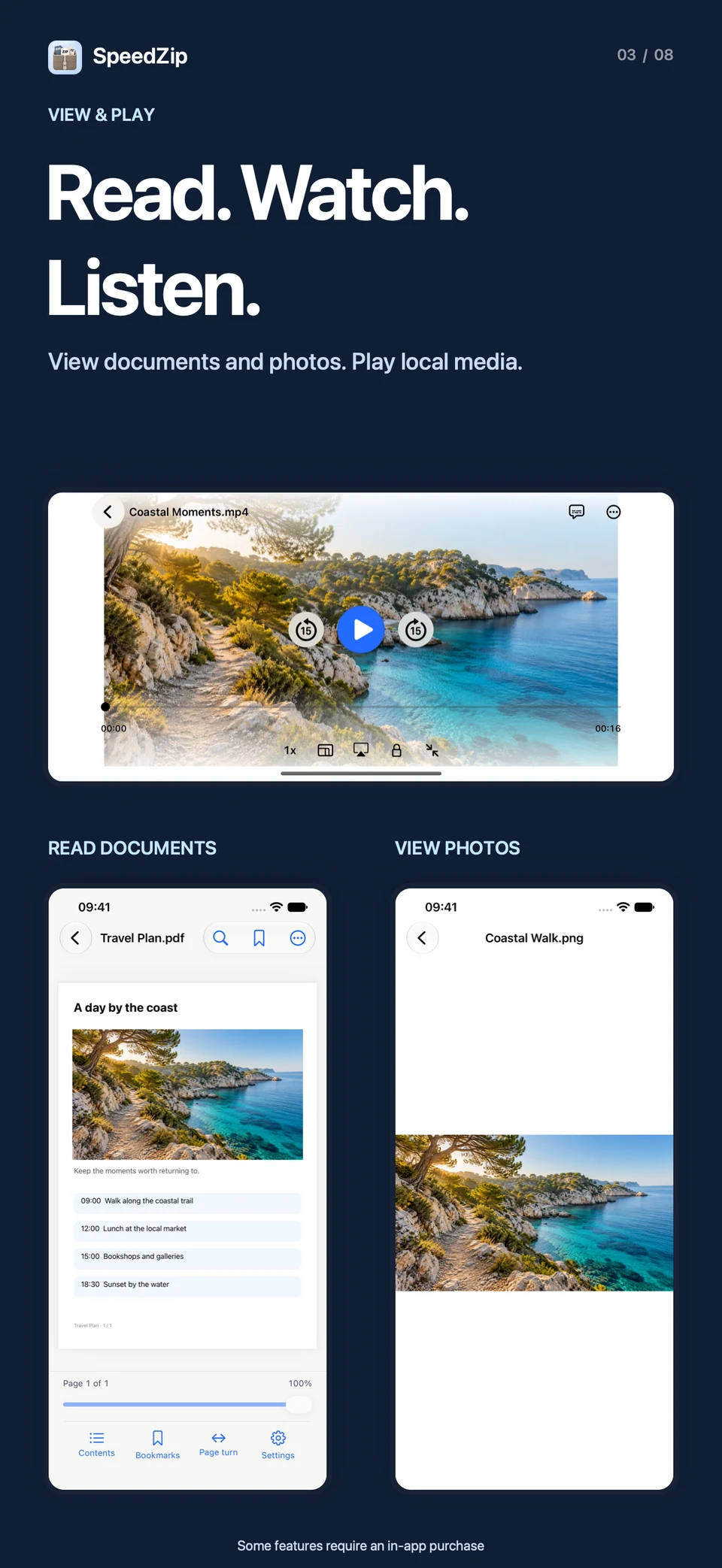
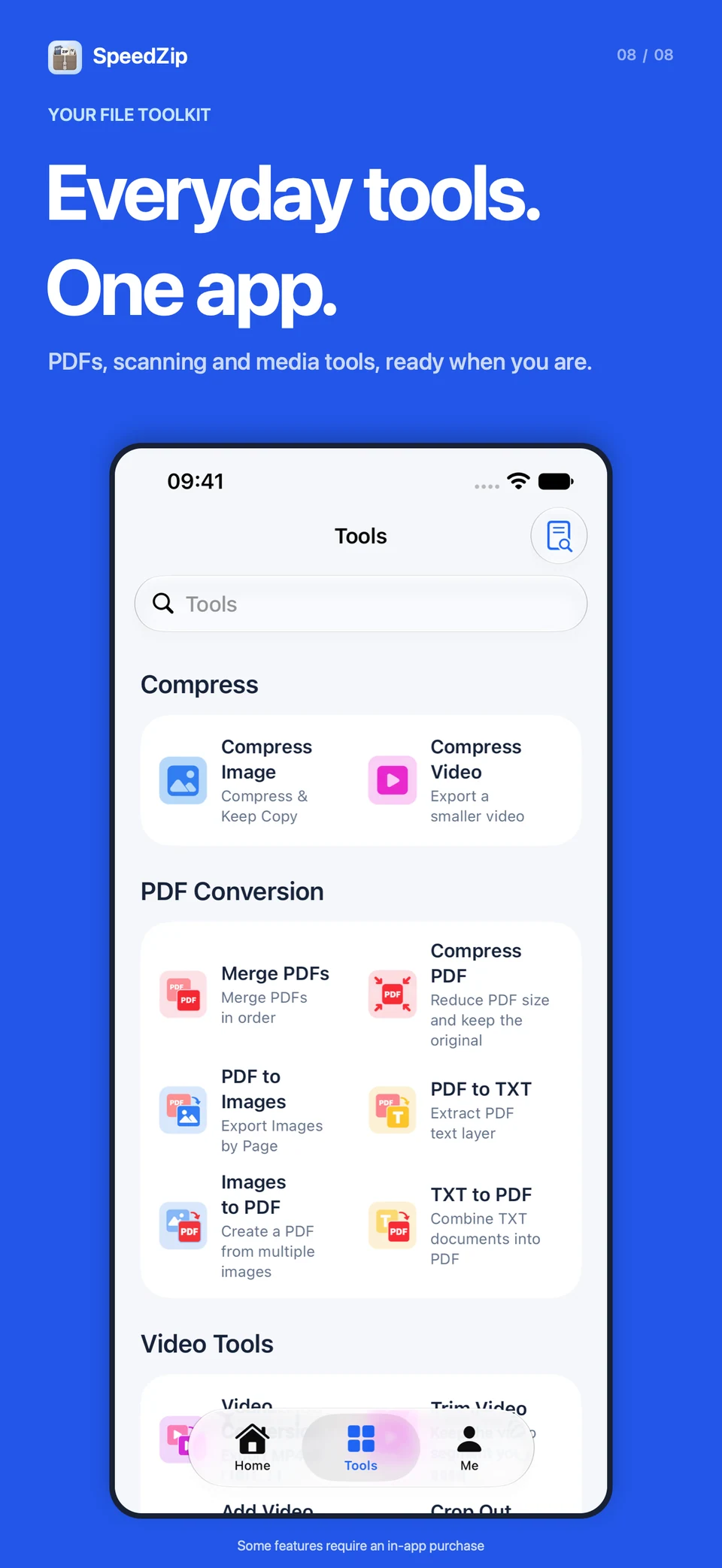
Search, rename, move, copy, favourite or batch-rename files, and restore items still in the Recycle Bin. View documents and photos, play local video and audio, and transfer files over the same Wi-Fi network. Browse the web and manage downloads with separate normal and private tabs. Private browsing does not save browsing history; downloaded files remain saved.
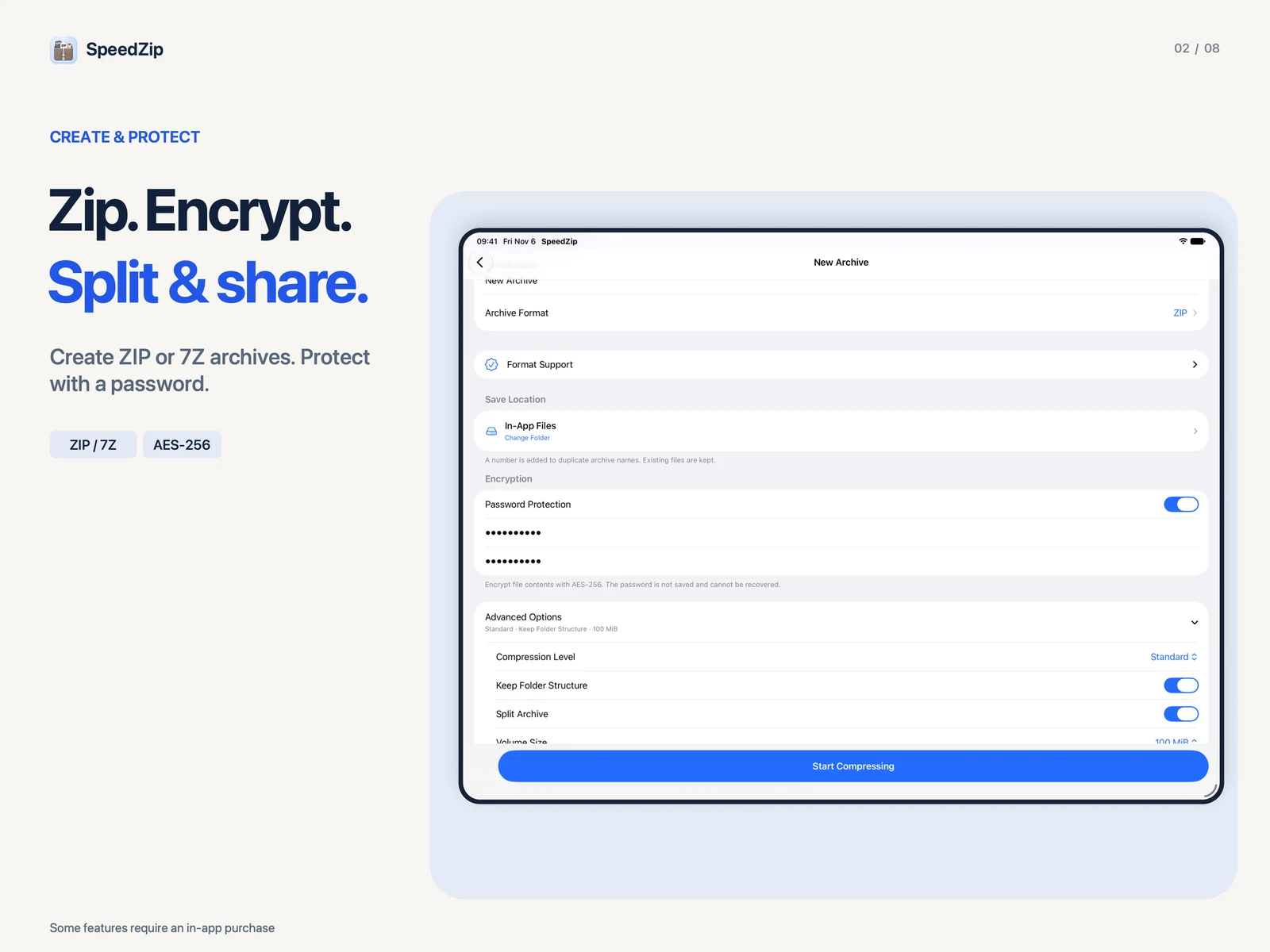
Browse and extract ZIP, 7Z, RAR, ZIPX, TAR, GZ and other supported archives. Create ZIP, 7Z, TAR, TAR.GZ, TAR.BZ2, DZIP (.dz), ISO or XAR. Protect ZIP and 7Z archives with AES-256 encryption or split archives into volumes. Use Quick ZIP in the iOS share sheet to pack files and folders, then share the ZIP or save it to SpeedZip.
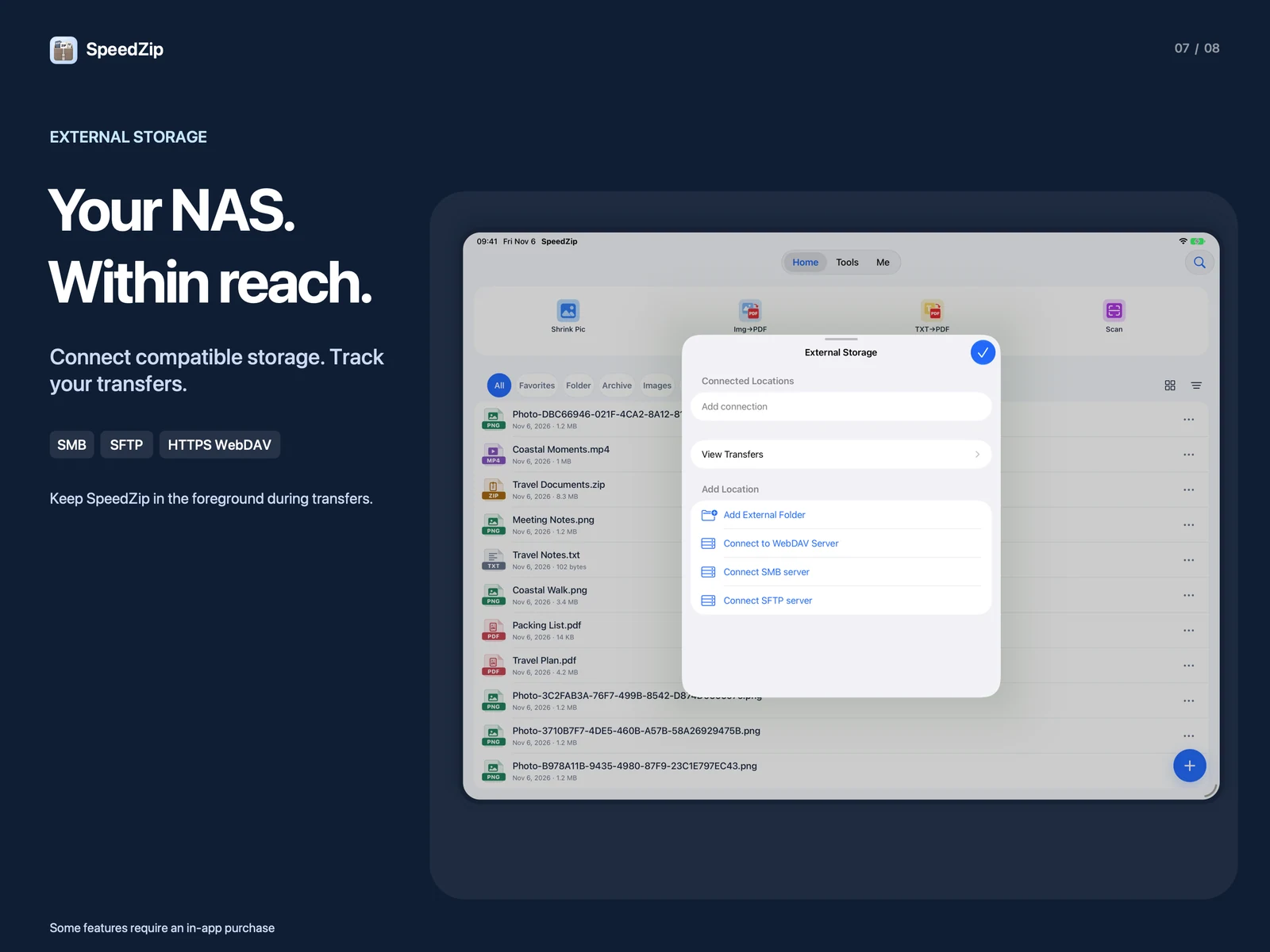
Connect to compatible storage over SMB, SFTP or HTTPS WebDAV, or add an external folder. Import files to work on and upload a finished PDF or another file to your chosen folder. Track imports and uploads in the transfer queue. Keep SpeedZip open during transfers; interrupted tasks can be retried from the beginning.
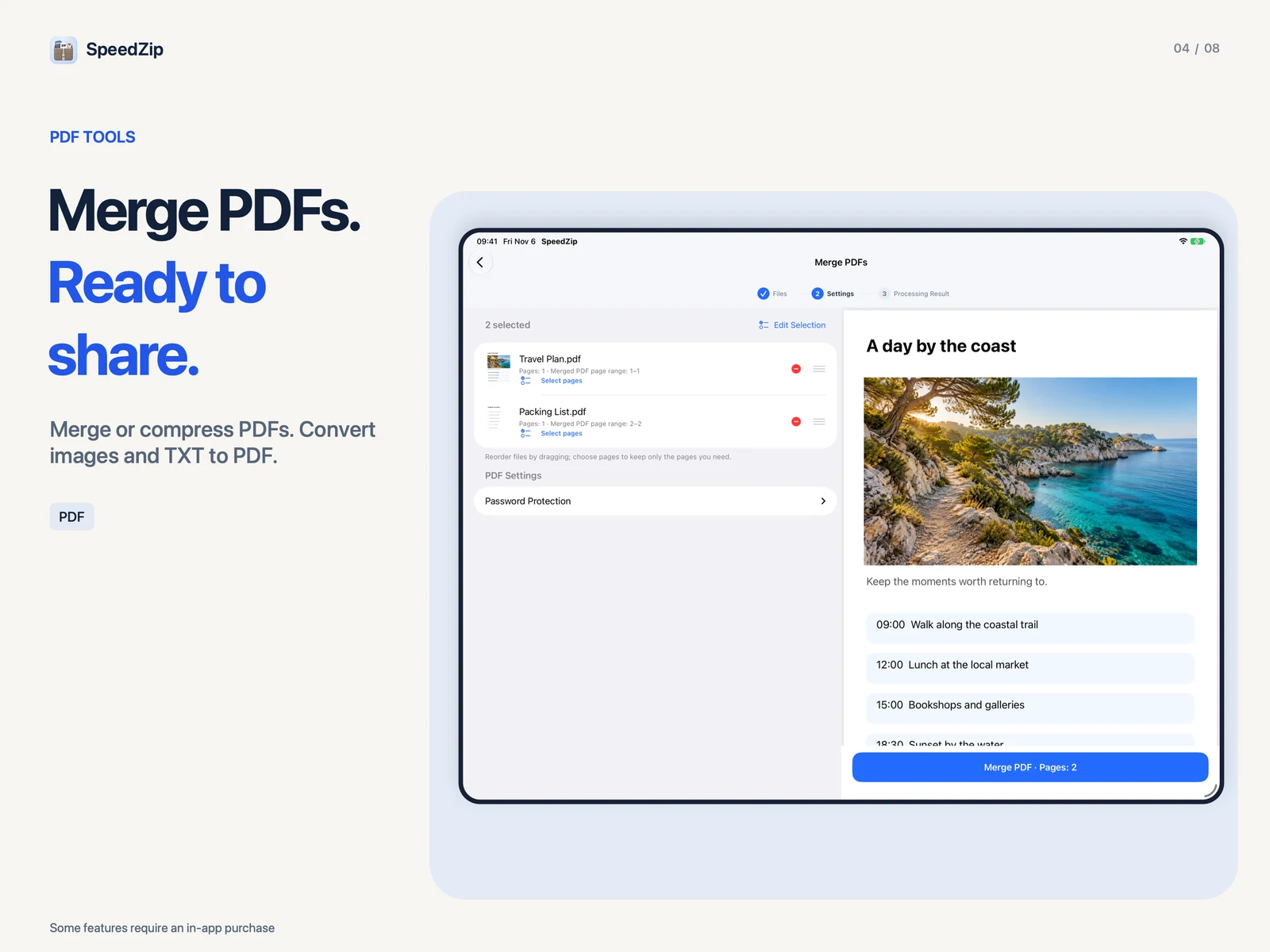
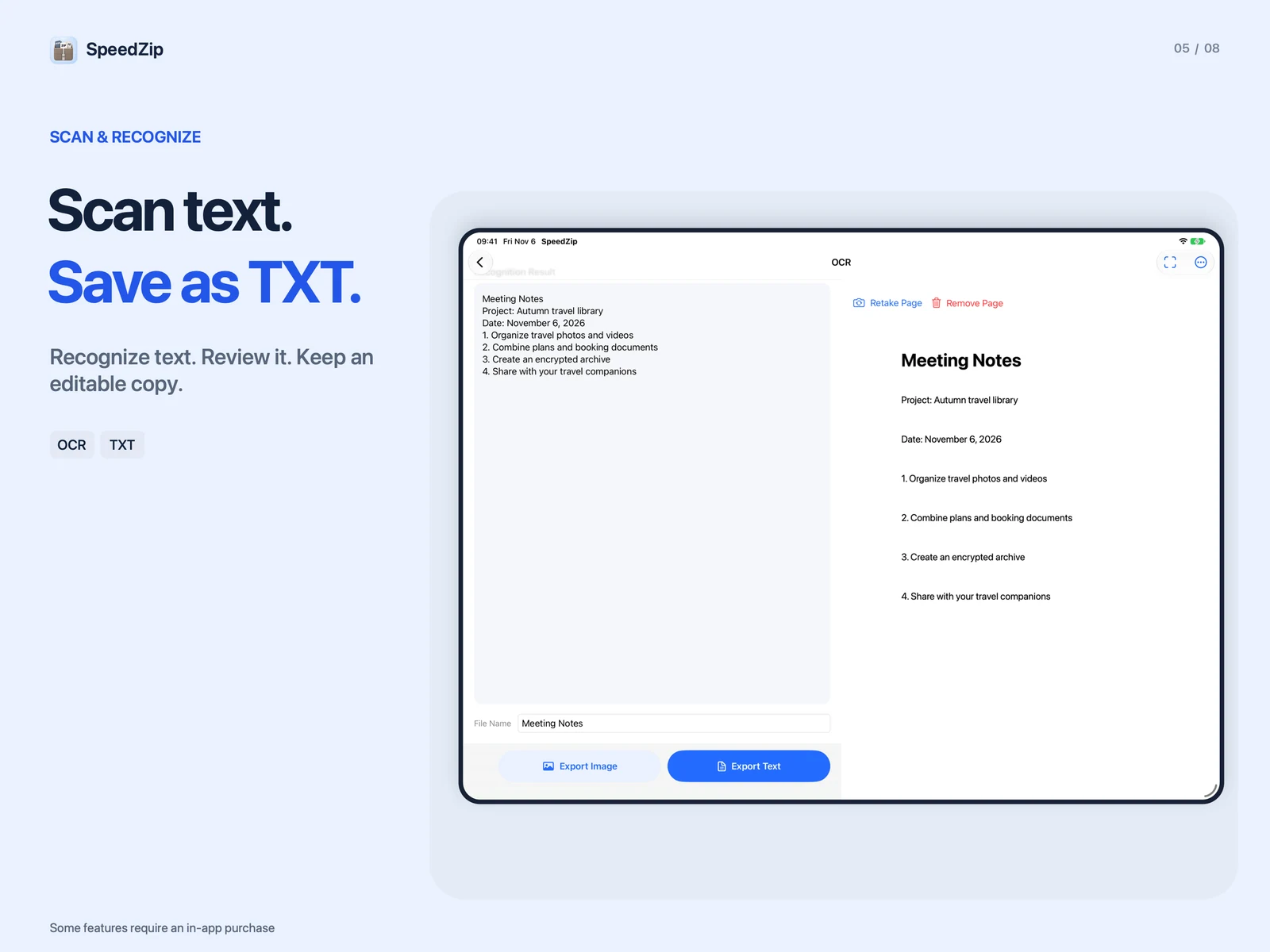
Scan multiple pages into a PDF. Merge or compress PDFs, convert images or TXT to PDF, and export PDF pages as images. Manage PDF pages, add highlights and notes, or review extracted text before saving it as TXT. OCR follows the device language and supports English, Simplified and Traditional Chinese, Japanese, Korean and more.
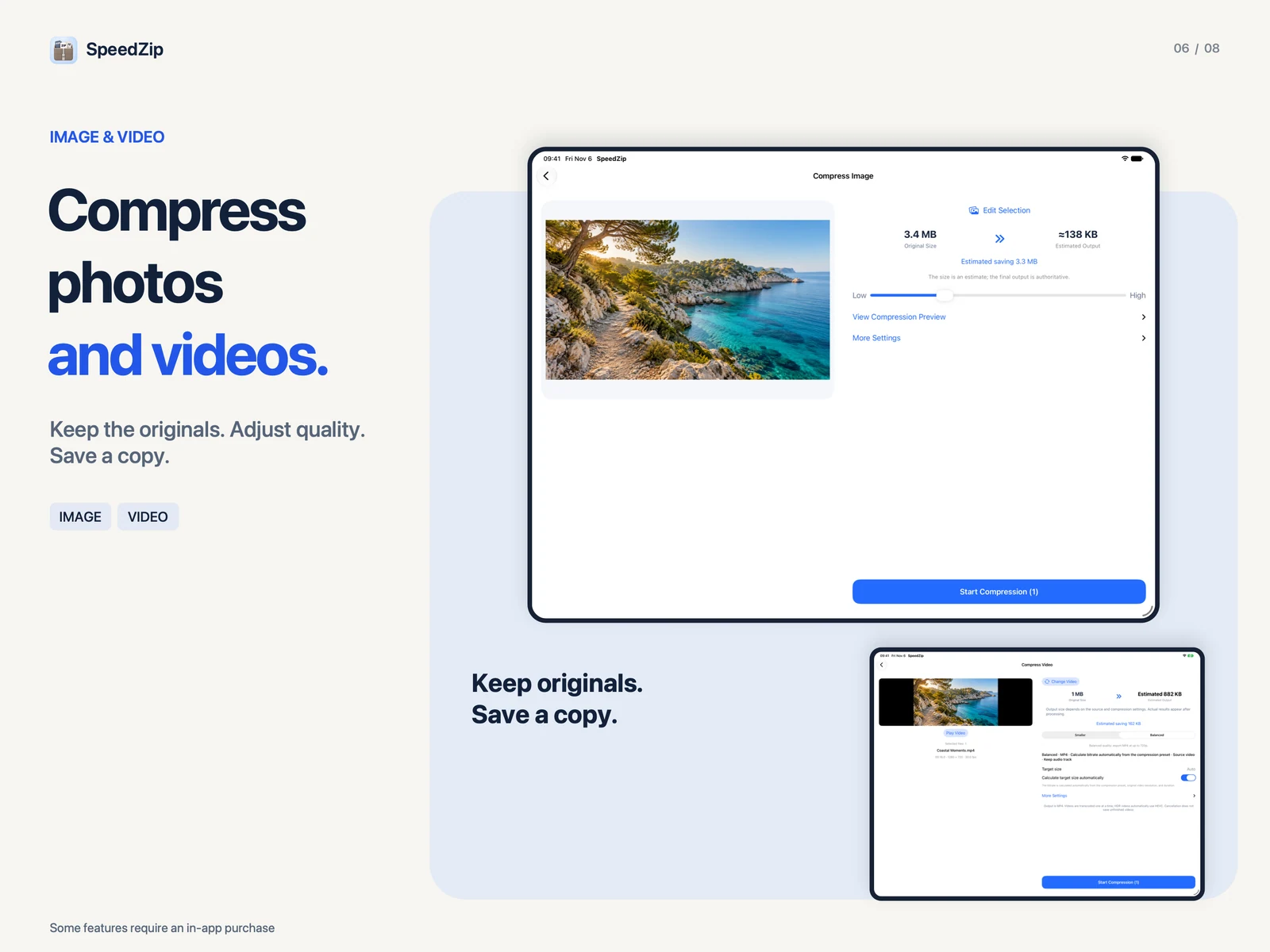
Compress images and videos while keeping the originals. Compare file sizes and save the results to your photo library. Convert compatible videos to MP4 or MOV, trim clips, add watermarks, capture frames, extract audio or convert audio files.
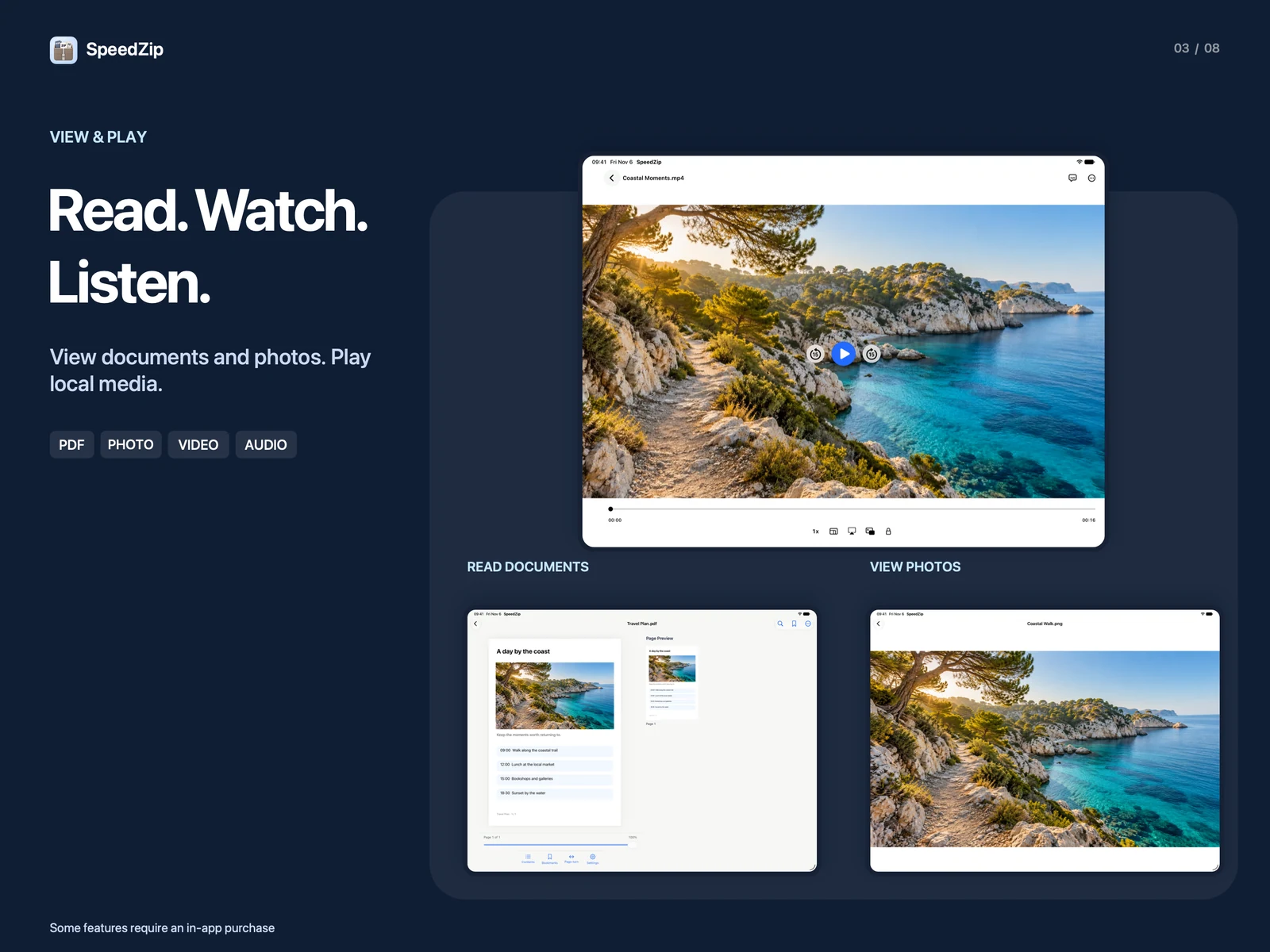
Search, rename, move, copy, favourite or batch-rename files, and restore items still in the Recycle Bin. View documents and photos, play local video and audio, and transfer files over the same Wi-Fi network. Browse the web and manage downloads with separate normal and private tabs. Private browsing does not save browsing history; downloaded files remain saved.
Yes. SpeedZip opens and extracts ZIP, RAR, 7Z and other supported archives on Mac, iPhone and iPad. The Mac app creates ZIP, 7Z and TAR archives. The iPhone and iPad app also supports additional creation formats. RAR is for extraction only; available operations vary by archive format.
Yes. SpeedZip for Mac searches file names inside archives and previews supported documents, images, audio and video. You can extract selected items instead of unpacking the whole archive. Editable archive formats also support adding, renaming, moving and removing entries before saving.
SpeedZip for Mac supports AES-256 encryption for ZIP archives. On iPhone and iPad, AES-256 encryption is available for ZIP and 7Z. Supported archives can also be split into volumes. Encryption and split-archive support depend on the format.
Archive creation and extraction run on your device without uploading file contents or archive passwords. Sharing a file or using a file-transfer feature is a separate action. Compression results and format compatibility depend on the source files and settings.
Yes. The iPhone and iPad app can scan documents, merge or compress PDFs, convert images or TXT to PDF, and recognize text. It also compresses images and videos while keeping the originals, and provides tools for compatible video and audio files. These mobile tools should not be assumed to be available in the Mac app.
Yes. SpeedZip for iPhone and iPad connects to compatible storage over SMB, SFTP or HTTPS WebDAV, and supports external folders. Import files for editing or upload a finished PDF or another file to a chosen folder. Keep SpeedZip open during transfers; interrupted tasks can be retried from the beginning.
SpeedZip Pro
Discover more native apps for Mac, iPhone, and iPad.

Capture and explain with SuperShot on Mac, iPhone and iPad. On Mac, combine scrolling screenshots, annotation, OCR and screen recording. On iPhone and iPad, stitch long screenshots, mark up images and save editable projects for later.
Learn More
A little spin, a little joy. Rediscover a traditional bamboo toy, make time for a break and try creating your own WAH sound.
Learn More
Add a screen watermark to your Mac desktop and create watermarked copies of saved screenshots.
Learn MoreChoose your device and view the app on the App Store.